Published: February 25, 2026
In this article you will learn what makes a device “trusted” or “untrusted” for identity document verification, why the distinction matters for security and privacy, which scenarios require offline processing, and how to choose between MOBILE CHIP SDK online and MOBILE CHIP SDK offline based on your operational needs.
What Makes a Device “Trusted” or “Untrusted”?
The distinction between trusted and untrusted devices centers on one fundamental question: where does sensitive identity data get processed?

Untrusted Devices
Untrusted devices are easily described as “customer devices” or “personal devices”. With customer devices, you cannot guarantee complete control over data security and processing. Untrusted devices may be manipulated by the owner, have other soft- or firmware installed, may be virtual devices that don’t even physically exist, or hardware devices that may rely on external systems, transmitting data to cloud servers for processing and verification. This creates multiple vulnerability points where information can be intercepted or accessed by unauthorized parties or be willingly manipulated by the user trying to, for example, obtain a fake ID. Most critically, untrusted devices and their altered soft- or hardware can be used to inject fake or synthetic identity data like deep faked images, artificially created identity document chip data or spoofed geographic locations.
Trusted Devices
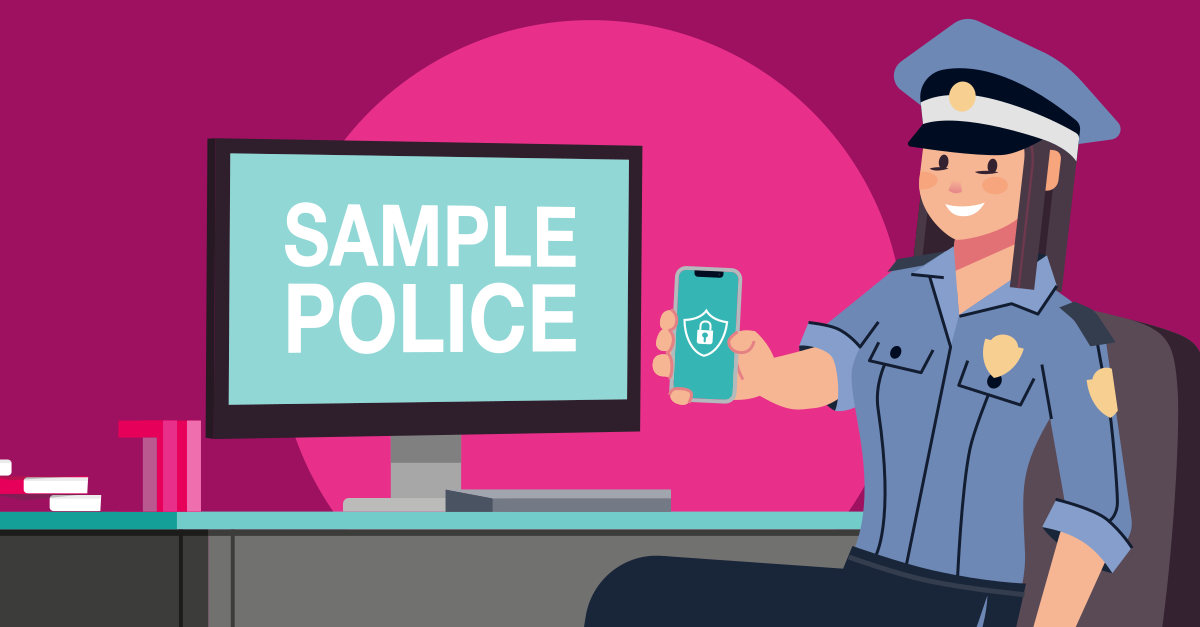
Trusted devices are those under complete organizational control, like for example the mobile device used by a police officer or issued from a corporate IT department. Trusted devices are usually managed by a mobile device management system which oversees operating system levels, software versions, file system integrity and detect hardware manipulations. Due to that, trusted devices can perform identity verification locally.
Due to the distinction between trusted and untrusted devices, certain activities are possible. For example, trusted devices can read data from chips in identity documents, validate digital signatures against certificates stored on the device, and confirm authenticity without transmitting sensitive data externally. The cryptographic verification uses Passive Authentication, checking digital signatures through a chain of trust that traces back to the issuing country’s certificate authority. For documents with Active Authentication or Chip Authentication, devices can even detect clones by verifying that the private key stored on the chip cannot be duplicated.

Why the Distinction Matters: Security and Privacy Implications
The trusted versus untrusted device distinction has profound implications for data security and privacy compliance.
Privacy and Data Protection
When verification occurs on untrusted devices, malware could intercept information, unauthorized apps could access data, and device owners could extract sensitive information from the verification process. By requiring untrusted devices to transmit data to secure backend systems, you ensure that sensitive processing happens only in controlled environments where data protection can be guaranteed.
With trusted devices running offline verification, sensitive data never leaves the device. There’s no network transmission to intercept, no cloud storage creating permanent records, and no third-party infrastructure handling personal information. For organizations with strict data minimization requirements or operations in privacy-sensitive contexts, this local processing provides inherent privacy advantages.
Operational Security
Untrusted devices operating through backend systems create a centralized security model. While this requires robust infrastructure, it also means security updates, certificate management, and verification logic remain under organizational control. The backend can implement additional fraud detection, maintain audit logs, and integrate with broader security systems.
Trusted devices with offline capability operate independently and aren’t affected by attack vectors like spoofing, virtual cameras, data injection and replay attacks of previously recorded identity information. They don’t require network connectivity, eliminating dependencies on infrastructure availability. However, this independence requires ensuring the devices themselves maintain security integrity – that certificates remain updated, that the verification software hasn’t been compromised, and that the device operates in a controlled environment.
MOBILE CHIP SDK online: The Solution for Untrusted Devices
The MOBILE CHIP SDK online is specifically designed for scenarios where devices cannot be trusted with local verification. It enables identity document verification while maintaining security through controlled backend processing.
How it Works
When using MOBILE CHIP SDK online, the mobile device captures data from the identity document’s NFC chip and transmits it securely to your backend infrastructure. The actual verification occurs on your servers, not on the device itself.
This architecture is ideal for customer-facing applications where end users bring their own devices, employee self-service scenarios where personal smartphones are used, or any situation where you cannot control the security configuration of the verification device.
MOBILE CHIP SDK offline: The Solution for Trusted Devices
The MOBILE CHIP SDK offline transforms controlled, trusted devices into systems for chip-based identity document verifications that operate independently of backend infrastructure.
How it Works
MOBILE CHIP SDK offline performs full cryptographic verification entirely on the device. It reads digitally signed chip data from ePassports and NFC-enabled identity documents, validates digital signatures against certificate stores maintained in the SDK, confirms document authenticity through the complete chain of trust, and detects cloned documents through Active Authentication and Chip Authentication – all without any backend connectivity requirement.
The SDK implements the full International Civil Aviation Organization (ICAO) 9303 standard directly on mobile devices, providing the same cryptographic assurance as fixed border control installations but with complete mobility.
Decision Framework for Choosing Between MOBILE CHIP SDK online and MOBILE CHIP SDK offline
Selecting between MOBILE CHIP SDK online and MOBILE CHIP SDK offline depends on your specific operational requirements and device trust model.
Choose MOBILE CHIP SDK online when
- verification devices are not under organizational control
- end users bring their own smartphones
- device security configuration cannot be guaranteed
- backend infrastructure for verification processing is available
- centralized fraud detection and audit logging are required
- certificate management and security updates must remain centrally controlled
Choose MOBILE CHIP SDK offline when
- devices are organizationally owned and managed
- mobile device management ensures security configuration
- operations occur in areas without reliable network connectivity
- local processing provides operational advantages (speed, reliability)
- privacy requirements favor on-device processing
- infrastructure independence is operationally critical
Hybrid Approaches
Some organizations implement both solutions, using MOBILE CHIP SDK online for customer-facing applications with untrusted devices while deploying MOBILE CHIP SDK offline on trusted devices for field operations. This dual approach optimizes security and operational flexibility based on specific use case requirements.
Choosing the Right Solution for Your Use Case
For B2B Identity Verification Solutions
(Online Solution / Untrusted Devices)
If you offer remote identity verification solutions to consumers, the fundamental principle is clear: never trust a consumer’s device. Consumer devices can be manipulated, compromised, or used to inject fake, synthetic, or stolen identity data into your verification process. To maintain security and integrity, you must move all identity document verification functionality to a trustworthy server infrastructure that you operate and control.
MOBILE CHIP SDK online is specifically designed for this scenario. It ensures that users performing onboarding cannot inject fraudulent data by processing all verification logic on your secure backend servers. The mobile device serves only as a data capture tool, while your infrastructure performs the actual authentication and validation.
Use MOBILE CHIP SDK online to verify identity document chips confidentially with our server in your environment.
For Law Enforcement and Controlled Environments
(Offline Solution / Trusted Devices)
If you are a law enforcement agency or operate in controlled environments where you deploy and manage your own devices, your situation is fundamentally different. Because you control the devices through mobile device management systems and maintain complete oversight of their security configuration, you can trust these devices to perform verification locally.
With trusted devices, there is no need to install server infrastructure or require network connectivity.
MOBILE CHIP SDK offline enables your trusted devices to perform complete cryptographic identity document chip verification independently, providing maximum operational flexibility for field operations, border control, and other scenarios where network access may be limited or undesirable.
Use MOBILE CHIP SDK offline for complete, independent identity document chip verification on your managed devices.
Security Best Practices for Both Approaches
Regardless of whether you choose online or offline verification, certain security principles remain constant.
For untrusted devices using MOBILE CHIP SDK online, implement transport layer security for all data transmission, maintain robust backend infrastructure security, enable our comprehensive audit logging, and ensure backend certificate stores remain continuously updated.
Read more in our series of articles “Why our Solution is Secure”.
For trusted devices using MOBILE CHIP SDK offline, establish mobile device management to enforce security configurations, implement regular certificate store updates, deploy device integrity monitoring to detect compromise, restrict device access through authentication and physical security, and establish incident response procedures for lost or stolen devices.
Request a Personal Demo or Test the MOBILE CHIP SDK
Discover which MOBILE CHIP SDK solution fits your operational requirements. Whether you need secure verification on untrusted customer devices or cryptographic offline capability on trusted organizational hardware, we can demonstrate how the SDK addresses your specific security and operational needs.
Request a personal demonstration tailored to your use case, or test the SDK directly to experience the difference between online and offline identity verification approaches.

Author
Stefan Gabriel
Head of Digital Solutions
Contact us today to explore how trusted device verification can enhance security and operational capability for your organization.

© OVD Kinegram AG
Imprint | Privacy Policy | Image credits
Privacy Notice | Terms and Conditions
LinkedIn Youtube

