Published: March 11, 2026
By: Stefan Gabriel, Head of Digital Solutions, OVD Kinegram AG
Using Chip Verification in Identity Checks
Fraud and identity theft pose a significant threat to national and individual security, lead to financial losses and erode trust. While digital identities offer convenience, they are especially exposed to fraud risks, with cybercrime rising at an unprecedented pace. This leaves physical credentials, and particularly passports, as the root and primary means of trust when it comes to the secure verification of identities.
Electronic MRTDs with their sophisticated physical security elements, including DOVIDs such as the KINEGRAM, and their electronic security features, most notably NFC chips, bridge the gap between the physical and digital realms.
With an electronic document, most notably ePassports, a government-issued and digitally verifiable credential is connected with biometrics – this enables more security, especially during remote identity verification processes. Leveraging the encrypted chip data and biometric markers helps to thwart fraud attempts.
Established international standards, spearheaded by organizations like ICAO and ISO, ensure the widespread adoption of ePassports, making them highly effective in reliably verifying identities and in combating identity fraud. In turn, this offers increased efficiency and reliability to governments, businesses, and individuals alike.
kinegram.digital’s MOBILE CHIP SDK and CHIP VERIFY are leading solutions for ePassport verification in online and offline scenarios. They ensure seamless integration, compliance and trustworthiness. As digital identity solutions evolve, electronic documents remain the gold standard, safeguarding identities and fostering trust in an increasingly digital world.

The Advantages of Chip Verification for Digital Identity Checks
Chip verification is emerging as a cornerstone in modern identity document authentication. It offers significant advantages in security, fraud prevention, and regulatory compliance. Using NFC-enabled smartphones in combination with specialized apps, a highly secure connection to the chip is established.
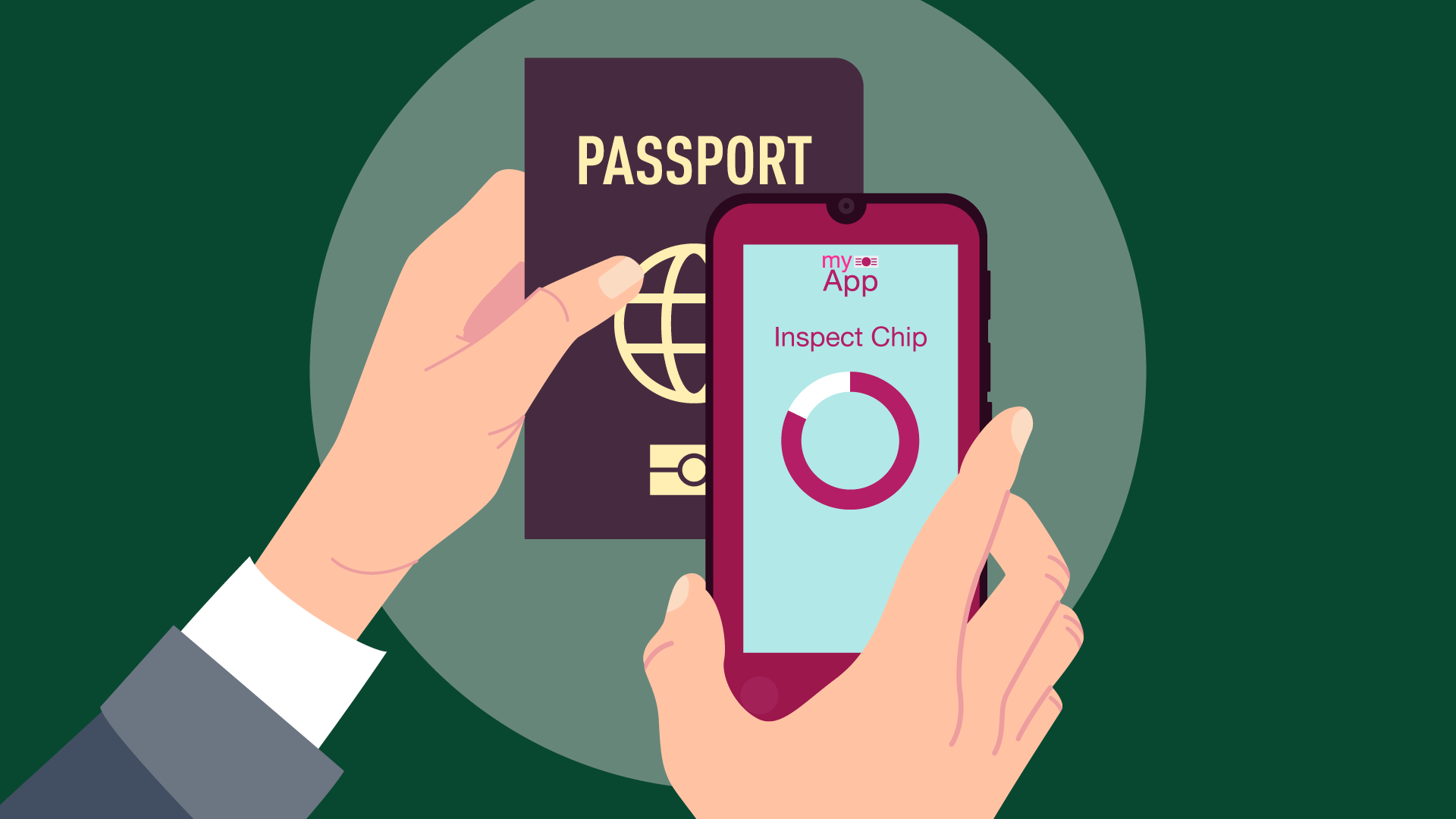
What benefits does chip verification offer?
Ensuring Integrity, Authenticity, and Clone Security
Chip verification reliably assures the integrity, authenticity, and clone security of a chip and hence the identity document. It checks that
- the chip data have not been altered (secured by checksums)
- the chip data originate from a trusted source (secured by cryptographic signatures)
- the chip is genuine and not cloned (secured by active / chip authentication)
Improving Efficiency and User Experience
Chip verification is very fast and more secure than optical checks. Also, it does not require familiarity with foreign documents and their security features, making it a highly convenient verification method that can be performed without extensive training.
Protecting Privacy
Chip-verification solutions from reliable providers offer two secure approaches to reading and verifying the chip of an identity document with a mobile phone, without storing or transmitting personal data:
- Trusted Device eg. Law Enforcement: the chip is read and verified directly on the trusted mobile device, ensuring full process integrity and eliminating the risk of manipulation.
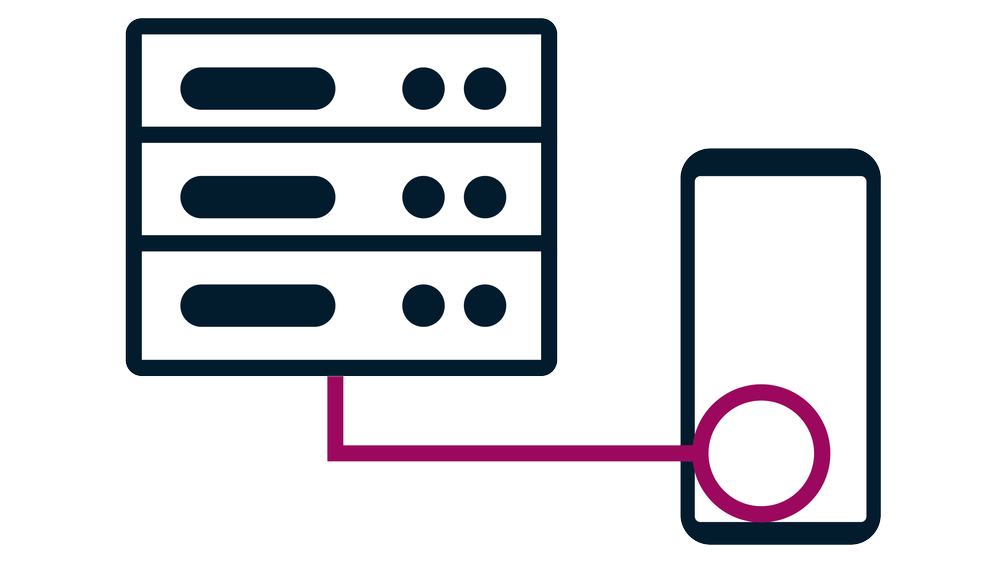
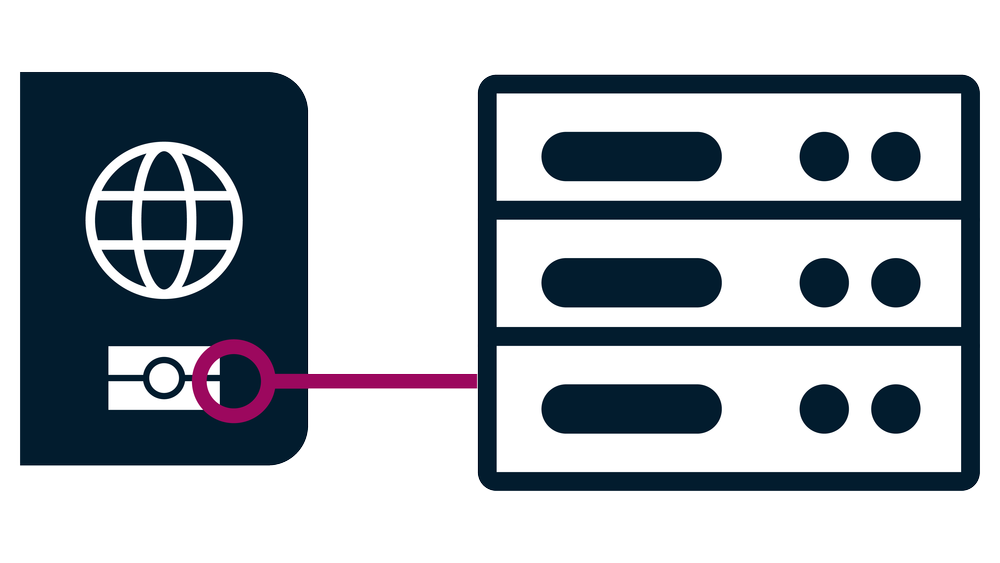
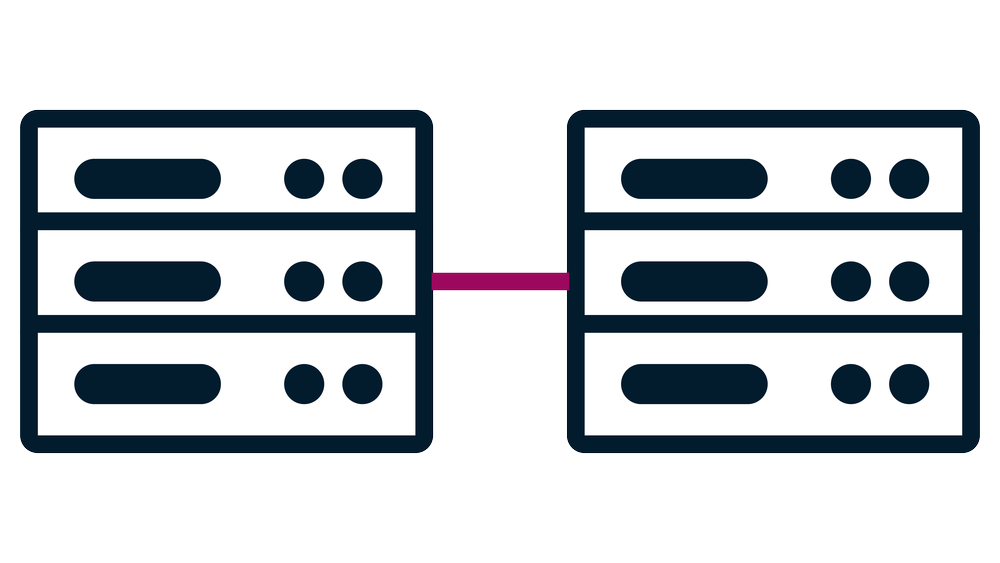
- Untrusted Device eg. Onboarding: when the mobile device cannot be trusted, the chip data is securely processed on a secure server, where verification and integrity checks are performed to ensure that no manipulation has occurred.
How does chip verification work?
Essentially, chip verification means accessing, reading, and authenticating the data stored within the embedded NFC chip of an identity document such as an ePassport. The chip contains digitally signed and encrypted data groups that are protected by cryptographic signatures from the issuing authority, making unlawful alterations easily detectable.
Chip verification accesses the biometric information within these data groups. This establishes a reliable link between holder and document, which enhances the reliability of the identification – it ensures that the individual presenting the document is its rightful holder. Just as ePassports, chip verification adheres to international standards such as ICAO Doc 9303. This ensures full interoperability and compatibility across borders and foreign documents, allowing for shortened and simplified identification processes.
Once securely accessed, verifying the chip consists of three parts: integrity, authenticity, and clone checks.
Integrity
In the first step, the integrity of the chip is verified – making sure that its data are unaltered. This is done by accessing and validating the stored data and their electronic signature. The chip contains digitally signed data in different groups:
Data Group 1 stores the data also contained in the document’s MRZ, such as name and document number. Data Group 2 contains the holder’s facial image, and groups 3-4 store encrypted biometric data such as fingerprints, which are securely signed by the issuing authority. These latter ones are not part of standard chip verification, as they can only be accessed by authorized government officials and using special certificates.
The data from the data groups is hashed, i.e., a checksum is calculated for each group. The individual checksums are stored in a separate data group, which is signed with the private key of the document signer. These security mechanisms ensure that the data groups have not been manipulated or tampered with since the document with the chip was first issued.
In the same moment, the facial image is extracted from the chip (the portrait of the holder contained in data group 2) and compared against the actual person – ideally, with liveness detection to counter presentation attacks.
Authenticity
In the next step, the chip’s authenticity is verified – making sure that its data originate from a trustworthy source/authority. As hashes and checksums can be generated by anyone, the integrity check alone is not sufficient. The document with chip could have been issued by an unauthorized party, such as a professional document forger. The authenticity check verifies the digital signatures of the chip and that they come from a legitimate, trusted entity.
The data groups’ hash checksums are stored in the so-called EF.SOD (Security Object Document), which is signed with the private key of the document issuer. This signature is enabled by the document signing certificate (DS certificate), which is issued by the Country Signing Certificate Authority (CSCA) of the document-issuing country. In order to verify a DS certificate against the CSCA certificate, and hence its provenance from a legitimate authority, a public key is needed.
The public keys along with the CSCA certificates are usually shared internationally by document-issuing countries in CSCA Master Lists. These are maintained and distributed by organizations such as ICAO or this one by the German Federal Office for Information Security.
The authenticity check also ensures that neither DS certificate nor CSCA certificate have expired or have been revoked at the time of verification.
Clone Check
In the last step, a clone check is performed, confirming that the chip and the document bearing it are genuine and original. Cryptographic protocols ensure that the chip is not a simple copy of an existing legitimate chip. For this purpose, there are two main security mechanisms, Active Authentication or Chip Authentication. Both essentially challenge the chip and verify a specific key stored within the chip. Cloned chips are unable to correctly perform the required tasks during this step.
BENEFITS OF VERIFYING ID CHIPS:
- Checksums ensure integrity – providing assurance that a chip’s data have not been altered.
- Certificates ensure authenticity – offering confirmation that the chip’s data were stored on it by a trustworthy issuer/authority.
- Authentication ensures genuineness – creating confidence that a chip is original and has not been cloned.
The entire process makes chip verification one of the highest-assurance verification methods for identity document checks today.
kinegram.digital’s Chip Verification Solutions
Our MOBILE CHIP SDK and CHIP VERIFY products are proven solutions for chip verification. Both enable the secure reading and verification of chip data in biometric passports and ID cards according to ICAO 9303. In the case of CHIP VERIFY, this is conducted completely offline, making it an ideal solution for on-the-spot eMRTD chip access via trusted devices, for example to support police forces or law enforcement officers.
The MOBILE CHIP SDK can be used for both on-the-spot scenarios as well as in remote verification processes, for example, during the onboarding of clients to a company or when citizens want to access a government-provided digital service. It is a highly secure and proven solution that serves several governmental and organizational clients.
In accordance with the outlined functionalities and advantages of chip verification, and in full compliance with ICAO Doc 9303, the MOBILE CHIP SDK
- offers offline and online functionality
- can be integrated into existing apps and processes
- is based on a highly secure server
- allows for full individualization and tailoring to the specific requirements on hand
For further information on the solution, click here: MOBILE CHIP SDK



Practical Tipps for Performing Chip Verification
Whether using MOBILE CHIP SDK or another trustworthy chip verification solution, there are a few useful tips and tricks that are worthwhile to know.
How should the chip best be read?
ePassports are issued based on global standards for eMRTDs, which are defined in great detail in ICAO Doc 9303. Despite this general standard, eMRTDs are manufactured in several different ways.
For example, some countries issue shielded ePassports, which incorporate protective shielding around their chip to prevent unauthorized reading or data skimming outside of actual verification scenarios. The shielding is based on materials or design features that block or limit RFID signals from reaching the chip, and is intended to increase the security and privacy of the document holder.
The biggest difference between documents lies in the location of the chip, which can vary widely between countries. ICAO 9303 allows for eight different locations and orientations. Among others, the chip can be placed in the front cover or the back cover of the passport booklet, or be embedded in the polycarbonate data page.
Smartphones also differ greatly in the location of their NFC antenna. In many cases, it is located at the back of the phone, either in the center (often the case for Android devices) or near the camera (often the case for iOS devices). Protective cases may have to be removed from the phone before it can be used to read the chip.
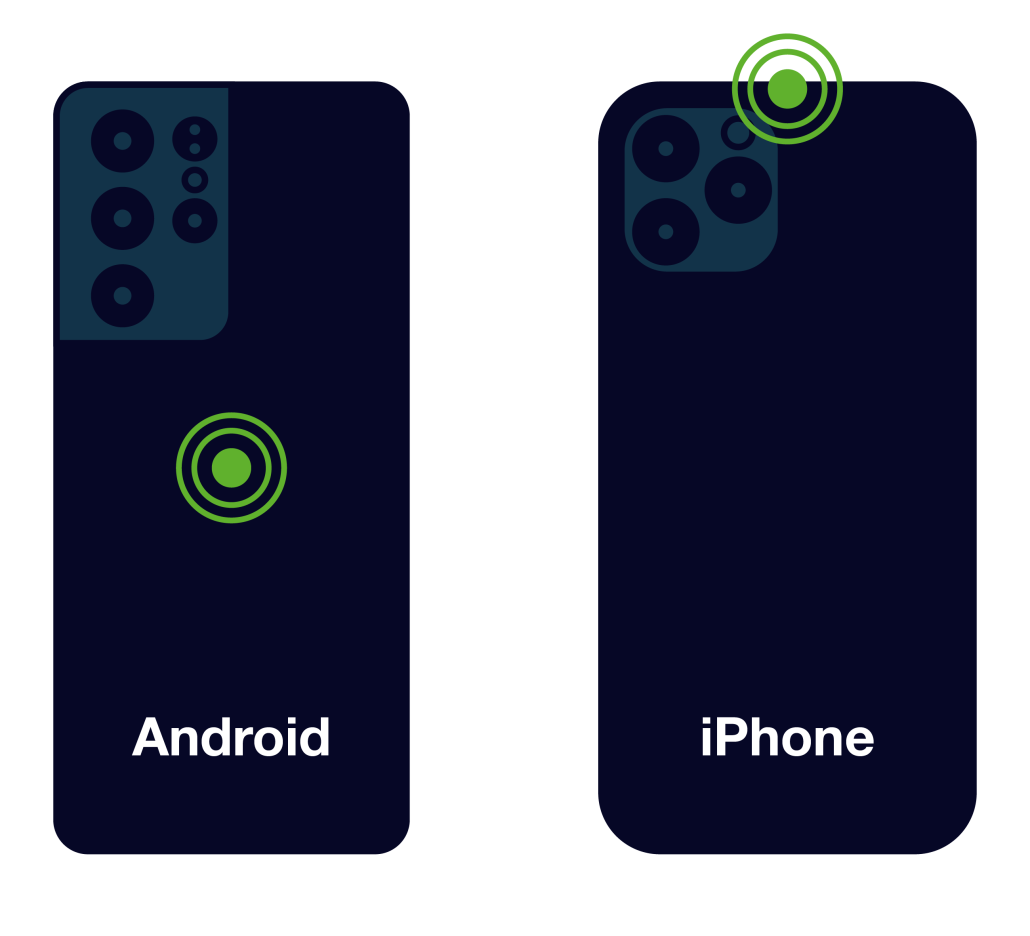
Typical NFC antenna locations in smartphones
It is recommended to try and read the ePassport chip with the document open, starting with the data page. If there is no response, try reading the opposite page. This covers the large majority of possible chip locations.
Handling Issues and Anomalies
If the chip verification cannot be performed as expected, this can be due to a number of factors:
Chip Defects
An eMRTD chip could be accidentally or intentionally damaged. A damaged, non-responsive chip does not mean that the document is counterfeit or has been tampered with. Also, this does not mean that the document is invalid: ICAO emphasizes that an eMRTD which fails electronic verification is nevertheless a valid document.
In that event, the physical security elements of the document must be inspected. The inclusion of DOVIDs allows for reliable and swift authentication through both visual inspection and, in the case of machine-readable DOVIDs such as the KINEGRAM, Optical Machine Authentication. This is of course only true for on-site, but not remote, scenarios.
Issuing Exceptions
While 160 countries issue ePassports with NFC chips, at the time of writing, only 107 participating countries and entities have shared their cryptographic certificates for eMRTD authentication (refer to ICAO PKD – participants for further information) with ICAO for inclusion in the PKD. This can lead to issues with international interoperability and limited possibilities for secure chip verification of the concerned eMRTDs.
Also, some countries have specific issuance modalities, for example, Germany for all eIDs issued before 2021, which use special access regulation, or Nigeria for its ePassport, which does not support encrypted communication.
Attacks
There is a large variety of known and potential attack vectors – only one example shall be shortly described:
Bad actors can replace an eMRTD chip by an NFC tag that refers to a website containing a makeshift result of a supposedly functional chip verification – which has actually not taken place, likely including eye-catching green checkmarks or other deceiving visuals. The offline-functioning trusted CHIP VERIFY app of OVD Kinegram will prevent the phone being used from accessing such a website and display an error message instead.
Whenever a chip verification process wants to open a browser or access a website, or the result of a verification process does not look familiar in terms of fonts, design, or any other ways, this is highly suspicious.
Conclusion
Chip verification is a highly secure and reliable method for checking the authenticity of eMRTDs. It directly addresses the challenges of counterfeiting, identity theft, and regulatory compliance. By following established best practices and employing robust tools adhering to international standards, such as MOBILE CHIP SDK or CHIP VERIFY, users can maximize the integrity and security of identity verification processes.
As any other method, chip verification is not without challenges: chips can be accidentally or intentionally damaged; despite international standards such as ICAO Doc 9303, implementations can vary between document types and issuing countries; and failed reads do not always indicate fraud, but could be related to technical issues. Careful attention must always be paid during verification processes.
Nevertheless, the advantages of chip verification far outweigh any limitations. Due to its robustness and reliability, chip verification may well become a global standard to confirm whether an eMRTD originates from an authorized issuer and whether its data have remained unaltered since issuance. Cryptographic mechanisms, secure key infrastructures, and digitally signed data provide the highest level of trust and assurance. This makes chip verification a cornerstone of secure identity verification.
If you are interested in digital support for chip based identity document verification, you are invited to download our fully data protection compliant DIGITAL SEAL app. It supports the offline verification of passports, ID cards, or driver’s licenses that are equipped with a chip. The app also allows users to scan the MRZ, offers reference images of hundreds of documents, and a straightforward interface for easy use. A paid version of the app is in daily use among Swiss police officers.

Author
Stefan Gabriel
Head of Digital Solutions
Learn about chip verification, explore our MOBILE CHIP SDK, or discuss specific questions or use cases.
Glossary
CSCA
Country Signing Certification Authority
DOVID
Diffractive Optically Variable Image Device
DS
Document Signer
IATA
International Air Transport Association
ICAO
International Civil Aviation Organization
ISO
International Standards OrganizationInternational Standards Organization
MRTD
Machine Readable Travel Document
eMRTD
Electronic Machine Readable Travel Document
MRZ
Machine Readable Zone in Passports
NFC
Near Field Communication
PKD
Public Key Directory
RFID
Radio Frequency Identification
SDK
Software Development Kit

© OVD Kinegram AG
Imprint | Privacy Policy | Image credits
Privacy Notice | Terms and Conditions
LinkedIn Youtube

