MOBILE SCAN SDK: A Secure Mobile Scanning SDK for IDs, Barcodes and Number Plates

Lucia Meusburger
Marketing kinegram.digital

Marketing kinegram.digital
Published: November 30, 2026
MOBILE SCAN SDK is a secure mobile scanning SDK designed for fast, accurate and reliable capture of identifiers. It combines specialist recognition technologies with privacy-conscious on-device processing, offline functionality and flexible integration into existing mobile applications.
Secure mobile scanning is about more than recognizing characters or decoding barcodes. It requires accurate capture of machine-readable information, appropriate data validation and controlled handling of the resulting data – all within a process that works reliably in everyday operations.
For organizations handling personal or business-critical information, both security and performance matter. A scanning solution that is slow, inconsistent or difficult to integrate may result in repeated attempts, manual corrections and operational delays. Unnecessary data transfers or uncontrolled storage can introduce additional privacy and security risks.
A secure mobile scanning SDK should therefore combine reliable recognition, efficient processing, appropriate data protection and seamless integration.
MOBILE SCAN SDK from kinegram.digital was developed with these requirements in mind.
It transforms specialist scanning technologies into a high-performance software component that organizations can integrate directly into their own mobile applications. The SDK supplies fast, automated data recognition while giving customers control over their workflows, user interfaces and subsequent data processing.
Whether the requirement is scanning passport MRZs during travel registration, recognizing vehicle nmber plates in the field or reading barcodes in transport and logistics, MOBILE SCAN SDK delivers reliable performance without adding unnecessary complexity.
MOBILE SCAN SDK combines a broad range of recognition capabilities in an all-in-one scanning SDK.
It is not limited to conventional ID document scanning. Depending on the application, it can provide the functionality of an MRZ scanner SDK, barcode scanner SDK, VDS or IDB scanner SDK, or number plate scanner SDK.
The solution’s supported capabilities include:
This broad recognition capability does not mean that every customer needs every scanning function.
A hotel technology provider may primarily require a secure ID scanning SDK for passport MRZ capture. A parking enforcement software provider may need exceptionally fast and reliable number plate scanning. An airport application may combine MRZ and boarding-pass barcode recognition, while a mobile police application may require several different identifier types.
The main benefit is reliable performance for the customer’s specific scanning task. Where multiple formats are needed, MOBILE SCAN SDK adds the advantage of consolidating them within one integrated solution.
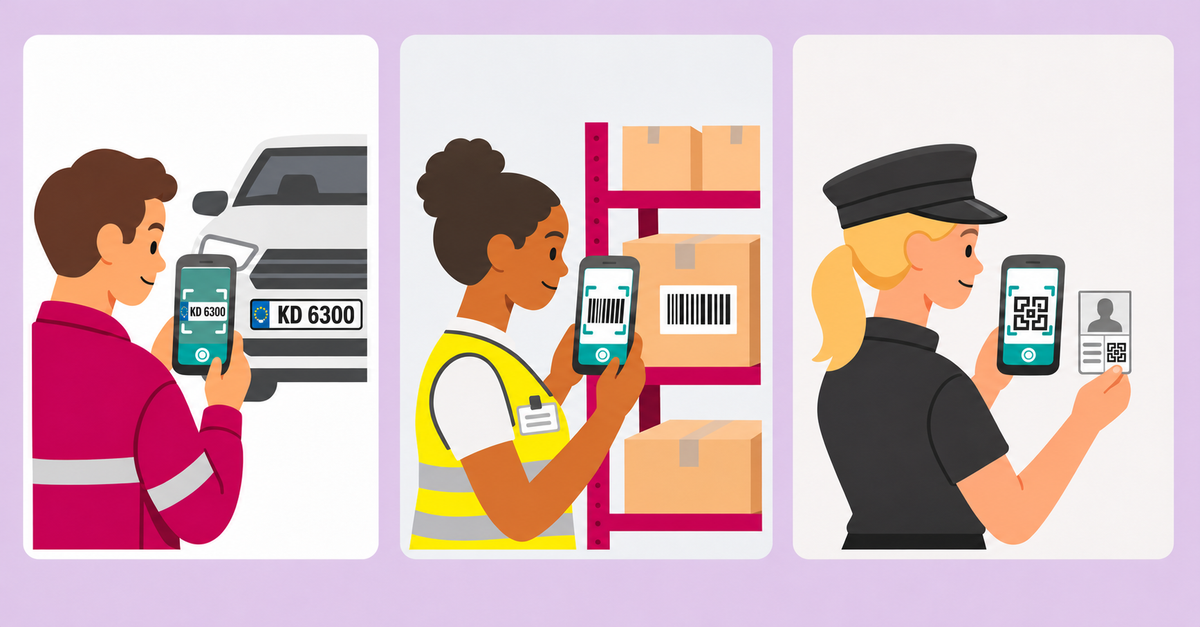
MOBILE SCAN SDK enables automated, camera-based recognition of machine-readable information and returns structured results directly to the incorporating application.
Its intelligent object detection automatically identifies supported identifier types, allowing users to capture the required information without manually transcribing names, document numbers, vehicle registrations or encoded barcode data.
Different identifier types require different recognition technologies. MOBILE SCAN SDK brings these together in one software component:
This versatility reduces manual entry and associated transcription errors while providing accurate, structured input for subsequent application processes.
The solution supports internationally established data formats, including those defined in ICAO Doc 9303 for machine-readable travel documents and ISO 22376:2023 for Visible Digital Seals.
For customers, the practical advantage is straightforward: dependable data capture for the specific identifiers their application must process, with additional scanning capabilities available where required.
MOBILE SCAN SDK is designed for fast, reliable scanning in operational environments where users cannot afford lengthy capture processes or repeated manual intervention.
It supports multi-verification across multiple read attempts, analyzing captured information to improve confidence in the resulting data.
Where applicable, standardized validation mechanisms provide additional assurance:
MRZ checksum validation should not be confused with document-authenticity verification. Equally, reading an ordinary barcode or number plate does not automatically authenticate its source.
A particularly valuable performance feature is the choice between individual and continuous scanning.
Individual scanning is ideal where one identifier is captured at a defined point in the workflow, such as reading a passport MRZ during hotel registration.
Continuous scanning supports the successive recognition of identifiers without restarting the scanning process each time. This is particularly advantageous for mobile number plate capture during parking enforcement or other field operations involving repeated checks.
Combined with automatic identifier detection, this allows customers to tailor scanning to their operational requirements. It can reduce manual interaction, improve capture efficiency and support more consistent user experiences.
One of MOBILE SCAN SDK’s most important security characteristics is its on-device processing architecture.
Recognition and processing take place locally on the mobile device. Captured information is returned directly to the incorporating application rather than being stored by the SDK or transmitted to external servers for recognition.
This approach offers several advantages:
Offline functionality is especially important in mobile field operations, underground parking facilities, remote areas and other environments where network coverage may be limited or unavailable.
This architecture also supports privacy-conscious application design. However, on-device processing alone does not guarantee regulatory compliance: customers remain responsible for implementing appropriate security, data-protection and access controls in their own applications and downstream systems.
MOBILE SCAN SDK provides a secure technical foundation that can be incorporated into the customer’s broader privacy and security architecture.
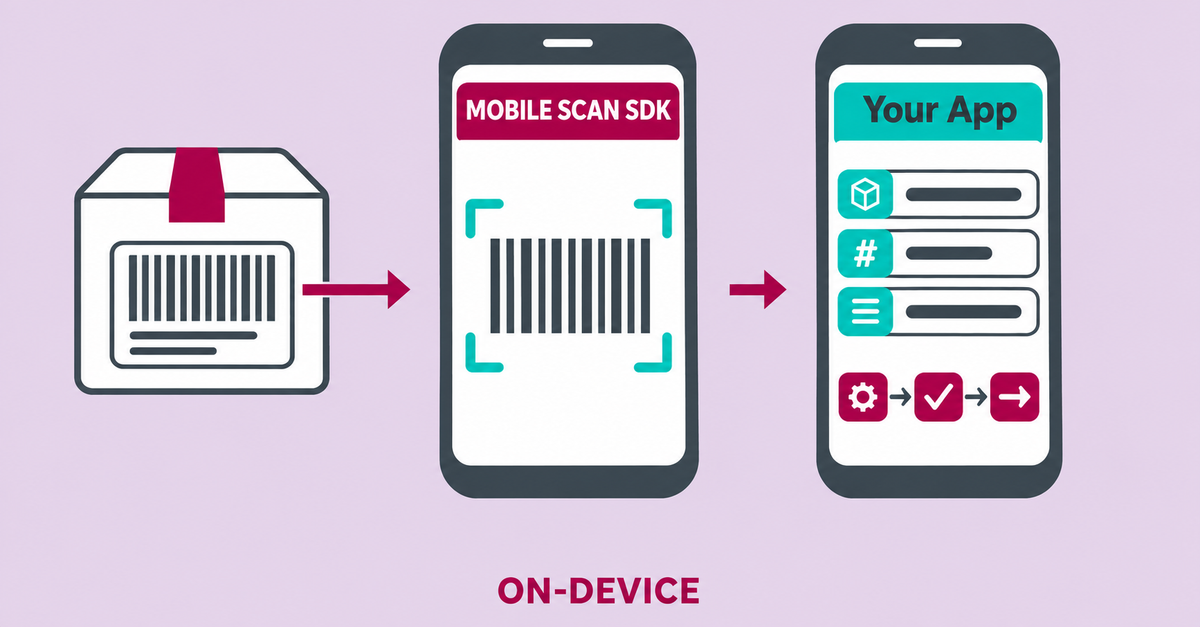
MOBILE SCAN SDK is designed as an embeddable software component rather than a separate scanning application with a fixed interface or workflow.
This allows customers to incorporate scanning functionality into their existing software environments while retaining control over the final application design and business processes.
The SDK provides highly functional recognition technology, while the incorporating application determines:
MOBILE SCAN SDK is available for Android and iOS, with additional integration options including Flutter and .NET MAUI. Structured outputs and developer interfaces enable integration into established applications.
This makes MOBILE SCAN SDK particularly relevant to software vendors, system integrators and organizations seeking to add or improve scanning functionality without rebuilding their existing applications.
A dependable mobile data capture SDK must do more than perform well during initial evaluation. It must remain maintainable, compatible and reliable throughout integration and ongoing operation.
MOBILE SCAN SDK benefits from kinegram.digital’s specialization in identity technology, document security and automated data capture.
The solution is continuously developed and maintained, with supporting resources including technical documentation, sample projects, integration guidance and direct technical assistance.
These resources help customers:
Beyond general development principles, kinegram.digital’s published customer implementations provide practical evidence of integration quality and responsive technical collaboration.
“The integration of the MOBILE SCAN SDK was carried out in a spirit of partnership and to our complete satisfaction. In particular, its availability as a .NET component was the deciding factor for us.”
“Integrating the MOBILE SCAN SDK into our existing solution was hassle-free and completed in no time – copy, paste, run!“
Selecting a scanning SDK also means evaluating implementation effort, operating requirements and long-term commercial viability.
MOBILE SCAN SDK is designed to integrate into existing mobile applications rather than requiring customers to introduce a separate scanning system. Its on-device processing and offline capabilities remove the need for an external recognition service as part of the scanning process.
This can simplify the technical setup and reduce dependencies, particularly for organizations with established application architectures.
The solution also offers commercial flexibility. Depending on the deployment and agreement, kinegram.digital provides different licensing approaches, including device-based, user-based, and fixed-price arrangements.
The appropriate model depends on factors such as deployment scale, expected usage, operational requirements and the customer’s business model.
Together with integration flexibility and ongoing technical support, these commercial options allow customers to select an implementation approach that fits their operational and financial requirements.
The six criteria listed above are not merely theoretical requirements. MOBILE SCAN SDK’s customer implementations demonstrate how MOBILE SCAN SDK can address specific customer needs within very different established software environments.
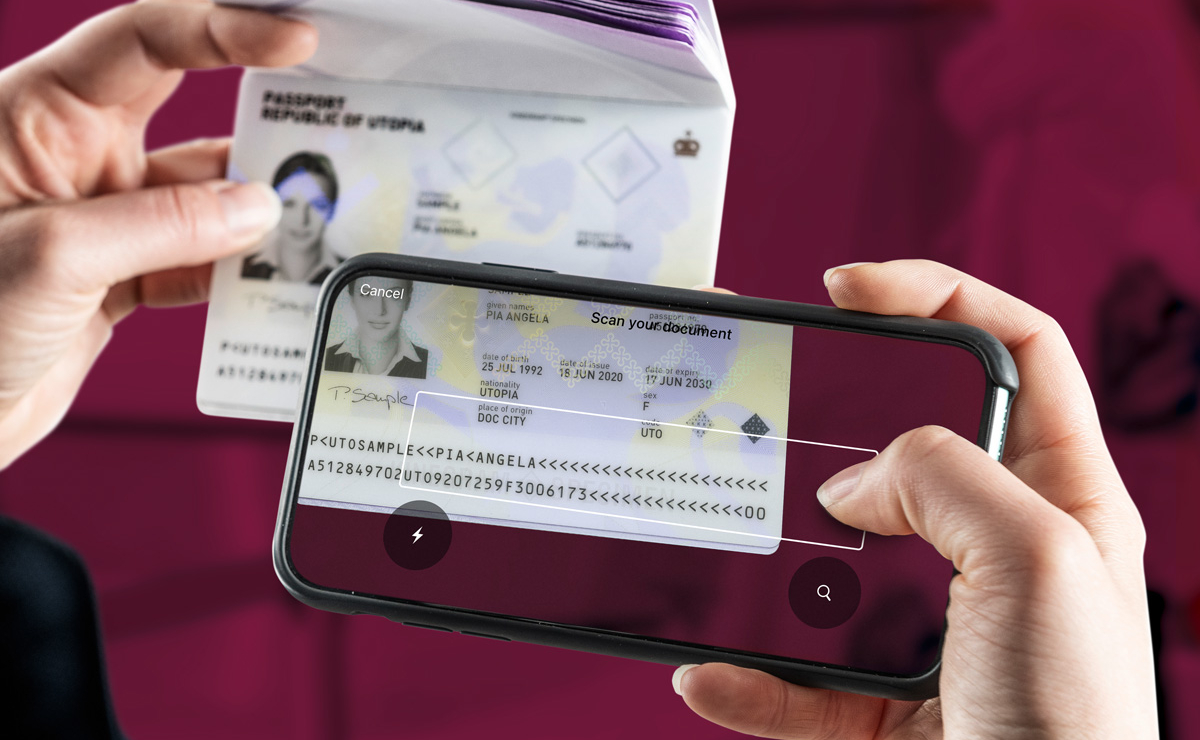
Swiss software provider DYCOM integrated MOBILE SCAN SDK into an existing police application to enable fast and reliable capture of MRZ data, vehicle number plates and 2D barcodes.
The project demonstrates how multi-format recognition, on-device processing and offline functionality can support demanding field operations while maintaining a consistent user experience.
For DYCOM, the decisive benefits included efficient capture, straightforward integration and reliable technical support.
Read the DYCOM success story: Fast and Reliable Mobile Data Capture in the Field.
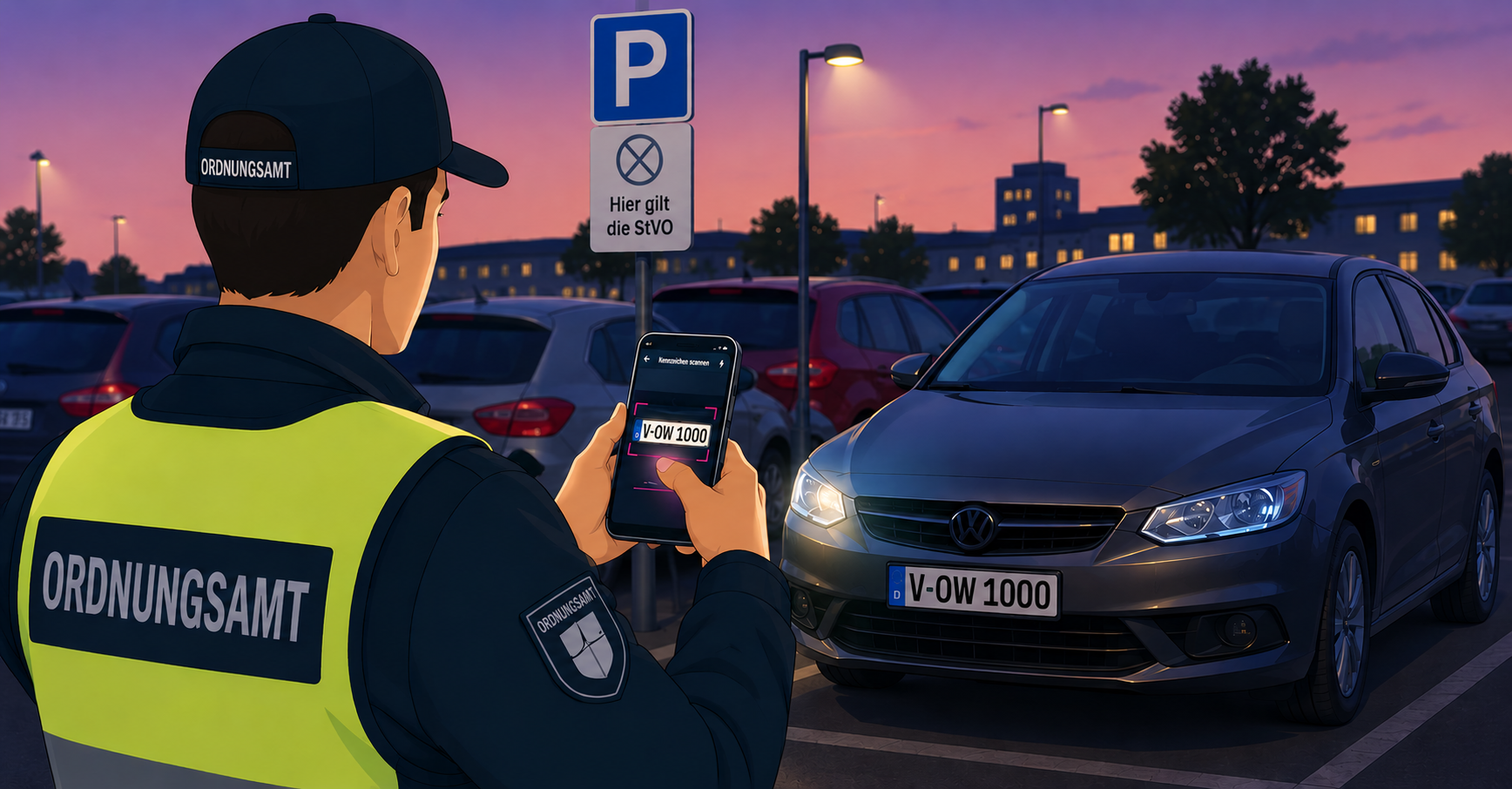
German municipal software specialist OWIGWARE selected MOBILE SCAN SDK for its VOIS | OWI.Mobil application, focusing specifically on automatic vehicle number plate capture.
The solution enables mobile field personnel to record registration plates efficiently, including in areas without reliable network coverage.
OWIGWARE’s experience illustrates that MOBILE SCAN SDK does not need to be used for multiple scan types to deliver substantial value. Reliable recognition, seamless integration, offline capability and predictable operating costs can be equally compelling for an individual scanning task.
Read the OWIGWARE success story: Mobile Number Plate Capture for Public Order Authorities.
Together, these implementations show how MOBILE SCAN SDK supports both specialized scanning applications and more comprehensive mobile data capture workflows.
MOBILE SCAN SDK brings together the essential characteristics organizations should look for in a secure mobile scanning SDK: reliable identifier recognition, fast and flexible capture, secure on-device processing, offline functionality, seamless integration, dependable technical support and adaptable commercial models.
Its broad scanning capabilities provide versatility where required, without compromising the focus on the customer’s actual scanning needs.
Equally important is how the technology is implemented. Customers retain control over their applications and data-processing workflows, while kinegram.digital provides the specialist recognition technology and support needed for reliable operation.
Secure scanning means capturing the right information efficiently, handling it responsibly and making it available where the customer needs it, within a workflow they control.
MOBILE SCAN SDK brings these capabilities together in one practical, high-performance solution.
Want to find out how MOBILE SCAN SDK performs with your specific identifiers, devices and operating conditions? Test the solution in your own environment with guidance from the kinegram.digital team.
Required fields are marked with *.
What makes MOBILE SCAN SDK a highly secure scanning solution?
MOBILE SCAN SDK combines on-device recognition, no SDK-side storage or external transmission of captured data, individual or continuous scanning, offline operation and standards-based data validation. For Visible Digital Seals and ICAO Data Structure for Barcode elements, cryptographic signature verification provides additional authenticity and integrity checks.
Why is MOBILE SCAN SDK a highly efficient scanning solution?
MOBILE SCAN SDK combines fast, automated recognition with structured data output and optional continuous scanning for supported tasks, reducing manual entry and repeated user interaction. These capabilities are particularly valuable in workflows involving frequent scans across many users or locations – for example, barcode capture in manufacturing and logistics or repeated number plate checks in parking enforcement.
Does MOBILE SCAN SDK read complete identity documents?
MOBILE SCAN SDK captures structured machine-readable information, particularly MRZs on passports, ID cards and other supported credentials. It also supports specific driving-license formats. It does not provide general-purpose OCR for all printed document information.
Can MOBILE SCAN SDK operate without an internet connection?
Yes. MOBILE SCAN SDK performs recognition locally on the device and can scan supported identifiers without a network connection. This makes it suitable for mobile field operations and locations with limited connectivity. Subsequent application functions, such as remote database queries, may still require internet access.
Can MOBILE SCAN SDK replace several scanning tools?
That’s what it is designed to do. MOBILE SCAN SDK is an all-in-one scanning SDK that consolidates multiple scanning capabilities into one integrated solution. This can reduce the need for separate scanning tools for ID documents, MRZs, barcodes, VDS codes and number plates. By covering all required scanning capabilities under one licensing agreement, customers can significantly reduce licensing costs and maintenance effort compared to using several separate solutions.
